generate images from Claude Code
on your ChatGPT subscription
A tiny skill that routes image generation and multi-image edit through Codex CLI's $imagegen,
so your existing ChatGPT Plus/Pro quota does the work — no extra OpenAI API credits.
1Why this exists
You already pay for ChatGPT. You already have Codex CLI installed. And Codex CLI happens to
ship with a built-in $imagegen tool. So why pay
again for OpenAI Images API credits when you want Claude Code to generate an image?
This skill bridges Claude Code and Codex CLI: Claude phrases the prompt, the skill shells out to
codex exec '$imagegen ...', and the PNG lands wherever you asked.
~40-70 seconds per image, zero marginal cost on top of your subscription.
2What it can produce
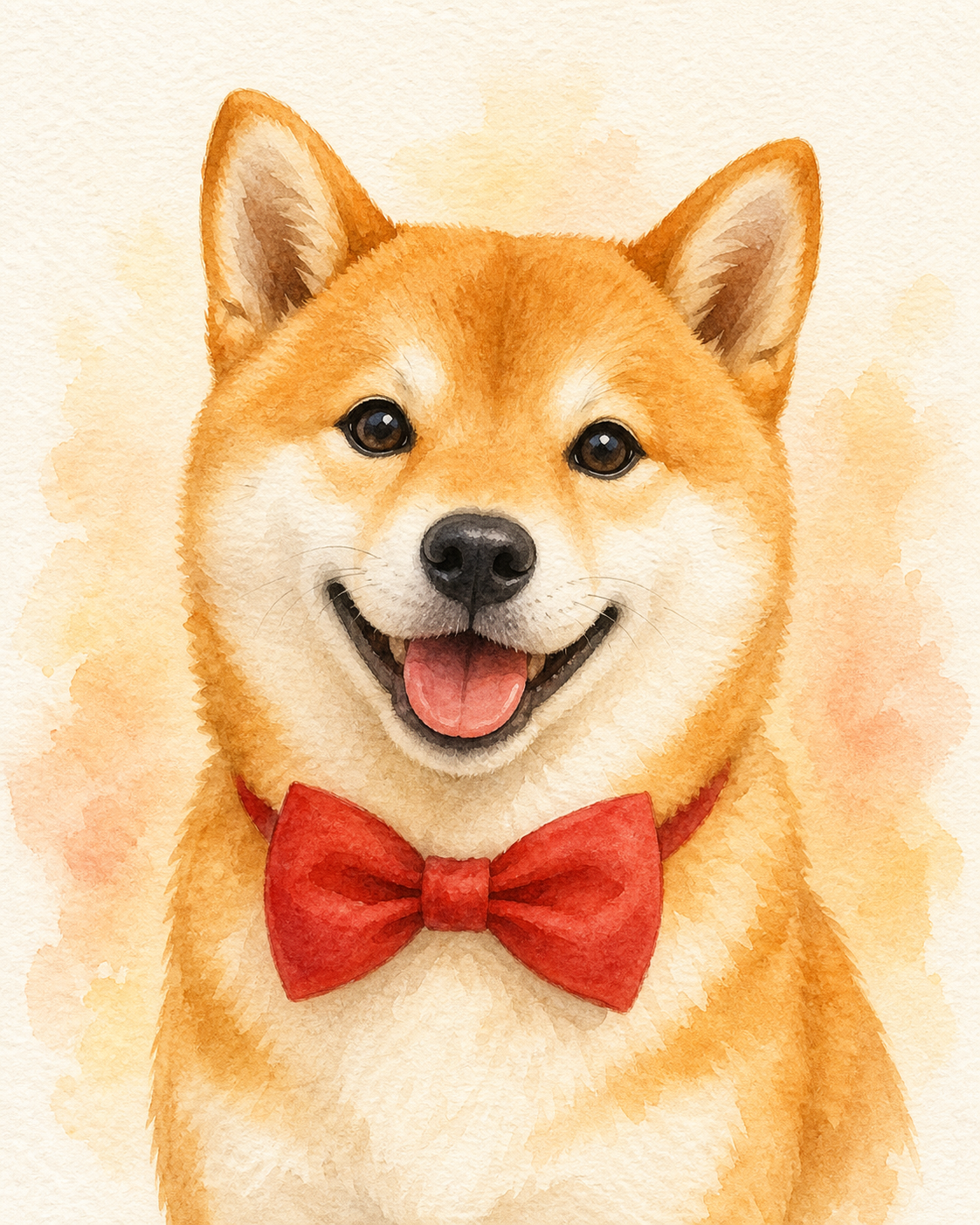


These were generated by the same script in this repo, with a shared pastel-illustration style prompt appended to each per-image concept. It scaled cleanly to a 26-image batch.
3Just want raw Codex (no skill)?
If you don't need Claude Code in the loop, call $imagegen straight from Codex:
# interactive
codex
> $imagegen a tiny shiba inu wearing a red bow tie, watercolor, no text

# non-interactive (one-shot)
codex exec -C "$(pwd)" -s workspace-write --skip-git-repo-check \
  '$imagegen a tiny shiba inu wearing a red bow tie, watercolor, no text'
Either way, the PNG lands at ~/.codex/generated_images/<session-id>/ig_*.png. This skill exists because the non-interactive form is awkward to script — you have to parse Codex's stdout for the session id, find the PNG, copy it out, and dodge Codex's sandbox eating your cp. The wrapper handles all of that.
Availability: $imagegen shipped as a built-in skill in
Codex CLI v0.117.0 on
2026-03-26; upgraded to gpt-image-2 in v0.123.0 on 2026-04-23.
Make sure your Codex is up to date with npm i -g @openai/codex.
4Install
Prerequisites: Codex CLI installed and codex login done.
# clone the repo straight into your Claude Code skills directory
git clone https://github.com/yazelin/codex-imagegen-skill ~/.claude/skills/codex-imagegen
chmod +x ~/.claude/skills/codex-imagegen/codex-imagegen.sh
Restart Claude Code and the codex-imagegen skill is available.
5Verify
Inside Claude Code, just ask:
Generate a cute Shiba Inu with a red bow tie in watercolor style,
save to /tmp/test-shiba.png
Or run the bundled script directly (text-to-image, 2 args):
~/.claude/skills/codex-imagegen/codex-imagegen.sh \
  "a tiny shiba inu with a red bow tie, watercolor, no text" \
  /tmp/test-shiba.png
6Multi-image edit · new
Pass 1–16 reference images as trailing positional args to do composition / outfit-swap / scene-merge / style-transfer / text-localization. The script builds the canonical Use case: image-edit / Input images: Image 1: … / Image 2: … scaffolding that gpt-image's edit mode keys off, and emits one --image flag per reference into codex exec.
# composition: subject from image 1 placed into scene from image 2
~/.claude/skills/codex-imagegen/codex-imagegen.sh \
  "place the subject from image 1 into the scene from image 2; match lighting and perspective" \
  /tmp/composite.png \
  ~/Pictures/person.png \
  ~/Pictures/kitchen.png

# outfit-swap with 2 garment references
~/.claude/skills/codex-imagegen/codex-imagegen.sh \
  "replace the clothing on image 1 with the garment from image 2 and the shoes from image 3; preserve face, body, and pose" \
  /tmp/outfit.png \
  ~/Pictures/model.png \
  ~/Pictures/jacket.png \
  ~/Pictures/shoes.png
For multi-image prompts, refer to inputs by their position in the arg list: image 1, image 2, etc. Typical use cases:
- composition — "place subject from image 1 into the scene from image 2"
- outfit-swap — "replace clothing on image 1 with garments from image 2 and image 3"
- style-transfer — "apply the visual style of image 1 to the subject in image 2"
- text-localization — "translate every text element in image 1 to Japanese; preserve typography"
- sketch-to-render — "turn the line drawing in image 1 into a photorealistic render"
The cap is 16 images — gpt-image edit's documented hard limit (the OpenAI Images API rejects more). In practice 2–3 references still give the cleanest composition, so prefer the fewest that express the edit.
7What's in the box
⌘SKILL.md
The trigger-and-usage doc Claude reads. Covers when to use, when not to use, and prompt craft tips.
⏵codex-imagegen.sh
Standalone wrapper. Text-to-image with 2 args; multi-image edit (1–16 references) when you add reference paths as trailing args. Locates the output PNG and copies it to your target path.
✓Portable
Works on Linux, macOS, WSL. Sidesteps Codex's bubblewrap sandbox by doing the file copy in the host shell.
⚠Honest about limits
Personal/dev use only. Don't power production multi-user services with a personal subscription — that's against the spirit of the terms.