Mori

DOCS

~/.mori/ 結構

FILES · AUTO-CREATED · USER-EDITABLE

Mori 把所有 user-state(config / profile / memory / theme)都存在 ~/.mori/ plain text 檔。第一次啟動會自動建必要骨架,user 可隨時手改, 改完不需要重啟 — 下一次熱鍵會即時讀新內容。

安裝(目前只 dev mode)

尚未發布 release binary / package。安裝就是 clone + build:

git clone https://github.com/yazelin/mori-desktop.git
cd mori-desktop
npm install
npm run build              # 先建 dist/ — tauri::generate_context!() 編譯時會檢查這路徑
cargo build --workspace    # workspace 才會 build mori-cli(Bash CLI proxy 需要)
npm run tauri dev

詳細步驟見 Getting Started。 Release binary(.deb / AppImage / .dmg)在 roadmap

第一次啟動會建什麼

~/.mori/ ├── config.json [auto] stub 自動寫入 ├── active_theme [auto] active theme stem(切 theme 時寫;v0.4.1+ fresh install 跟 OS prefers-color-scheme 走) ├── themes/ │ ├── dark.json [auto] Mori Dark 內建 theme │ └── light.json [auto] Mori Light 內建 theme ├── agent/ [auto] v0.4.1 起 deploy 6 個 starter │ ├── AGENT.md default Mori(Ctrl+Alt+0) │ └── AGENT-01..05.<name>.md 翻譯助手 / 工作流 / ZeroType Agent / YouTube 摘要 / 聽我指令 ├── voice_input/ [auto] v0.4.1 起 deploy 6 個 starter │ └── USER-00..05.<name>.md 純文字輸入 / 朋友閒聊 / 正式信件 / LINE貼文 / 哄老婆 / 提示詞優化 ├── characters/ [auto] 5P character pack:預設 mori/ + active 檔 │ ├── mori/ │ │ ├── manifest.json │ │ └── sprites/ 6 個 state PNG(4×4 sheet) │ └── active 一行,當前 active character 名 ├── corrections.md [auto] v0.5.1+ deploy baseline(200+ 條 STT 校正 + User 段) ├── memory/ [lazy] 第一次 RememberSkill 寫入時建 ├── logs/ [auto] v0.4.0+ JSONL event log(每日 rotate mori-YYYY-MM-DD.jsonl) ├── installed-apps.<platform>.json [lazy] v0.5.0+ open_app catalog(active profile 啟用 open_app 時 scan) ├── runtime.json [auto] skill HTTP server port + 其他 runtime state ├── models/ [opt] whisper-local 模型放這(Deps tab 一鍵下載) ├── wakeword/ [auto] v0.6.0+ Hey Mori 喚醒 │ ├── hey-mori.onnx bundled TTS-only generic 預設 model(自訓過不覆寫) │ ├── hey-mori.verifier.joblib [opt] 跑 mori-wake-verifier.py 訓出的個人聲線 二階段 model │ └── sounds/ wake-ack 應答音 │ ├── wake-ack.wav [auto] 當前播的 ack 檔(預設 leda-嗯我在聽) │ └── wake-ack-alternates/ 5 個 bundled voice + user 自錄的 wav └── wake-venv/ [opt] Listening mode 用的 Python venv(Deps tab 一鍵裝 openwakeword)

說明: [auto] = 啟動時自動建立 · [lazy] = 用到才建 · [opt] = 選用,user 自己建/裝
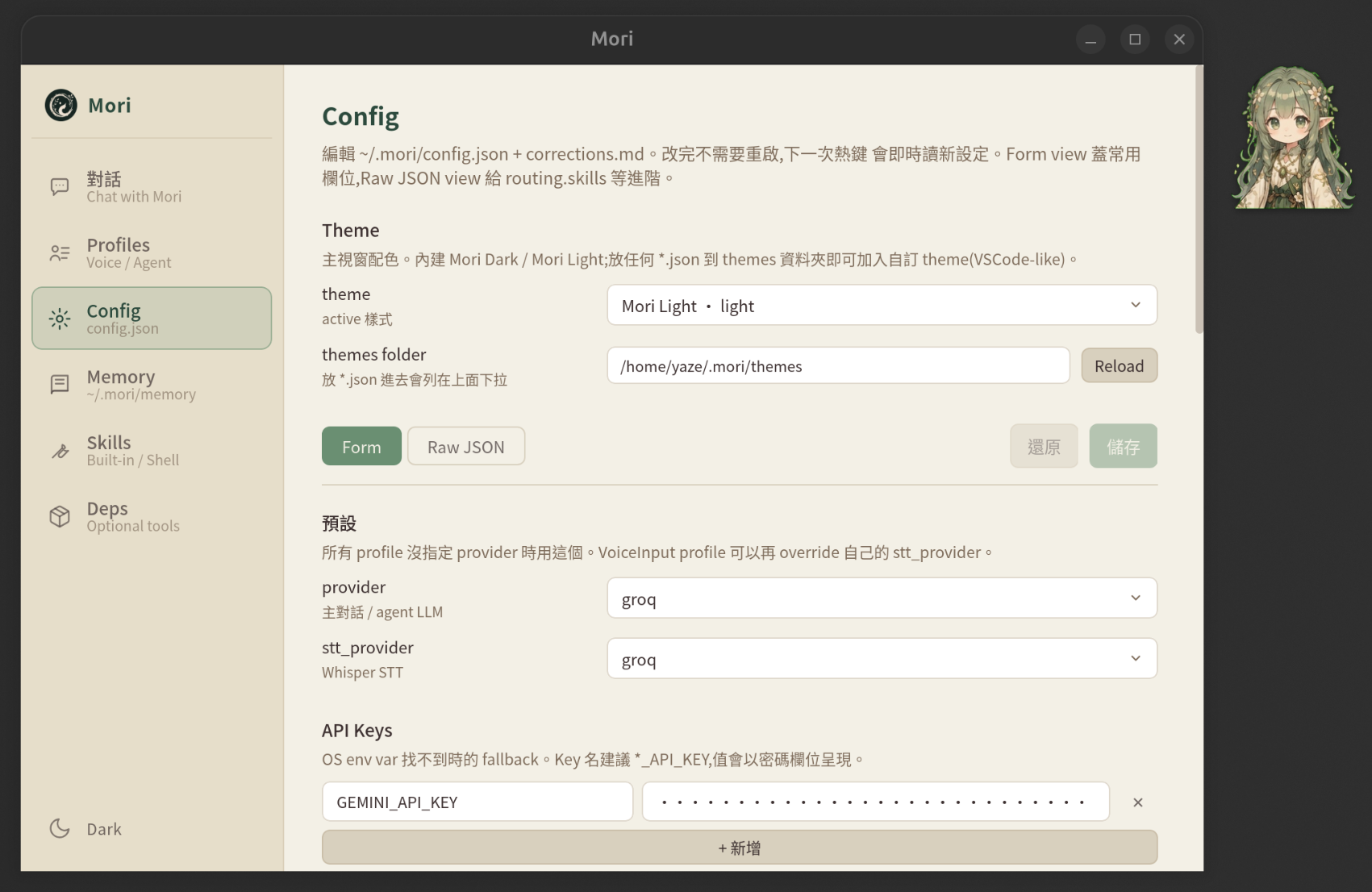
Config tab + Theme picker
Config tab — theme / provider / api keys / routing 都從這編

設定檔

config.json
auto
全域設定:provider / stt_provider / api_keys / routing / voice_input / hotkeys。 第一次跑 bootstrap stub(main.rs::ensure_config),從 Config tab 編或直接改 JSON。Provider 欄位見 Providers; hotkeys 子樹見 Hotkeys → 自訂熱鍵
active_theme
auto
一行 plain text,內容是當前 theme 的 stem(dark / light / 自訂)。Sidebar 左下角 toggle 或 Config tab 切 theme 時更新。
corrections.md
user
共用糾錯規則(專有名詞拼字 / 慣用語 normalize 等)。任何 profile body 用 #file: ../corrections.md 引用,LLM 看 system prompt 時讀進去。 user 自己建,不存在不影響運作。

Theme

themes/dark.json
auto
Mori Dark 內建 theme(theme.rs::ensure_builtin)。 啟動時若不存在從 bundle 寫入,**存在就不覆蓋**(user 編輯保留)。 color key 對應 CSS variable(page-bg--c-page-bg 等)。
themes/light.json
auto
Mori Light 內建 theme。同上,可改可覆寫。
themes/<name>.json
user
自訂 theme(VSCode-like)。複製 dark.json 改名 + 改色即可, Config tab → Theme 自動列出。完整 key 對照見 Brand Design Book → Dual Theme System

Profile

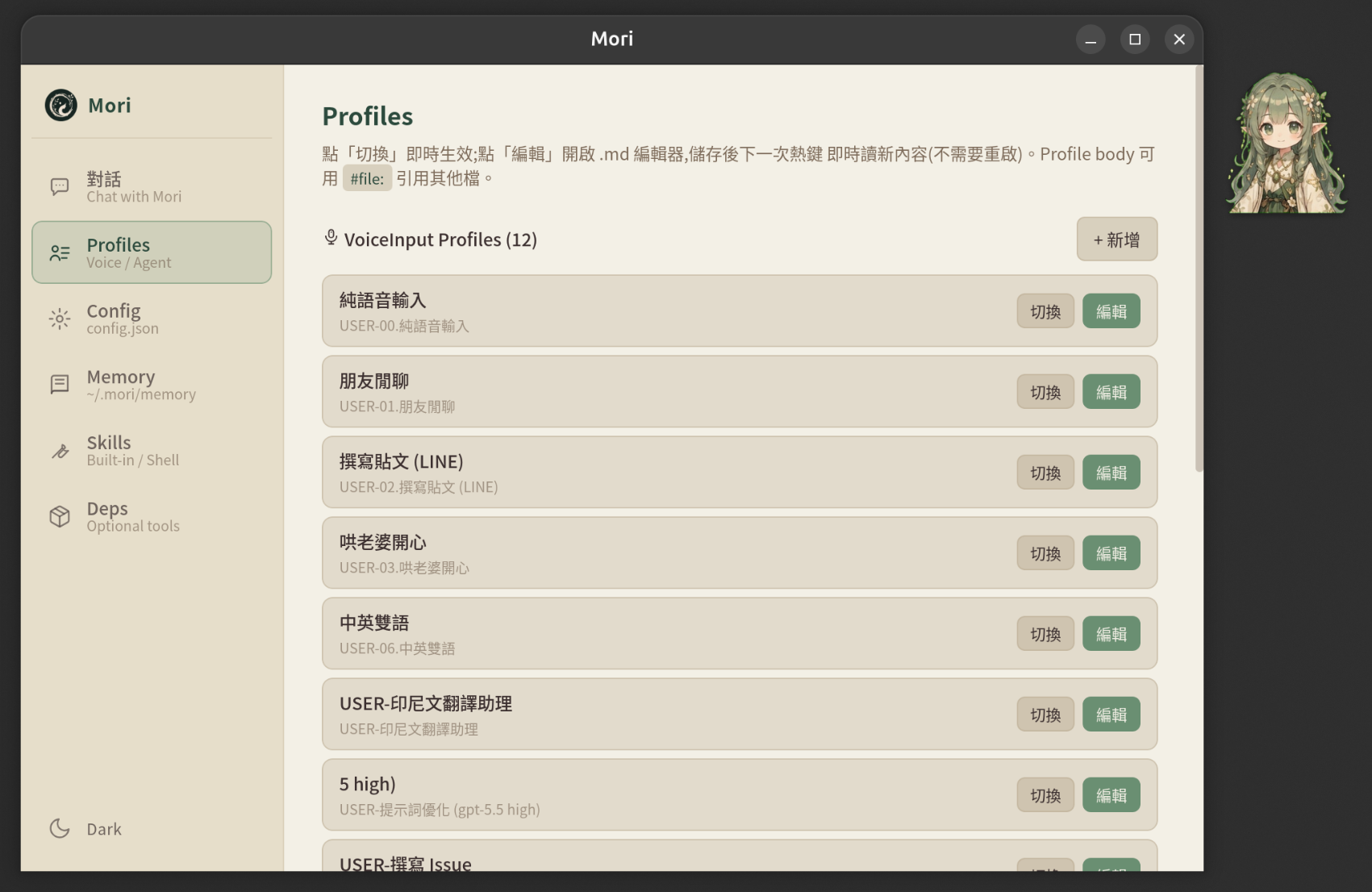
Profiles tab — VoiceInput list
Profiles tab — 列當前所有 voice / agent profile,切換 + 編輯
agent/AGENT.md
auto
預設 agent profile(agent_profile.rs::ensure_agent_dir_initialized)。 啟動時若 agent/ 空就寫一份 DEFAULT_AGENT_MD。 user 沒指定 profile(沒按 Ctrl+Alt+N)時 fallback 到這個。
agent/AGENT-NN.<display>.md
user
自訂 agent profile,frontmatter + body。Ctrl+Alt+N(N=0~9)切換,或 Ctrl+Alt+P picker / Profiles tab / tray menu。 Frontmatter 包含 provider / enabled_skills / shell_skills 等,body 是人格 / 行為 prompt(可用 #file: 引用其他檔)。
voice_input/
auto
5R 起預設 ship 三份 starter(USER-00 純文字輸入 / USER-01 朋友閒聊 / USER-02 正式信件,寫進 voice_input_profile.rs::ensure_voice_input_dir_initialized)。 全刪了又沒任何 USER-*.md 時 fallback 到 code 內常數 FALLBACK_PROFILE_MD(基本繁中校正),不寫 disk。
voice_input/USER-NN.<display>.md
user
自訂 voice input profile(ZeroType 相容格式)。Alt+N(N=0~9)切換, STT → 單輪 LLM cleanup → 貼游標。Frontmatter 可 override stt_provider / cleanup_level / paste_shortcut

Memory

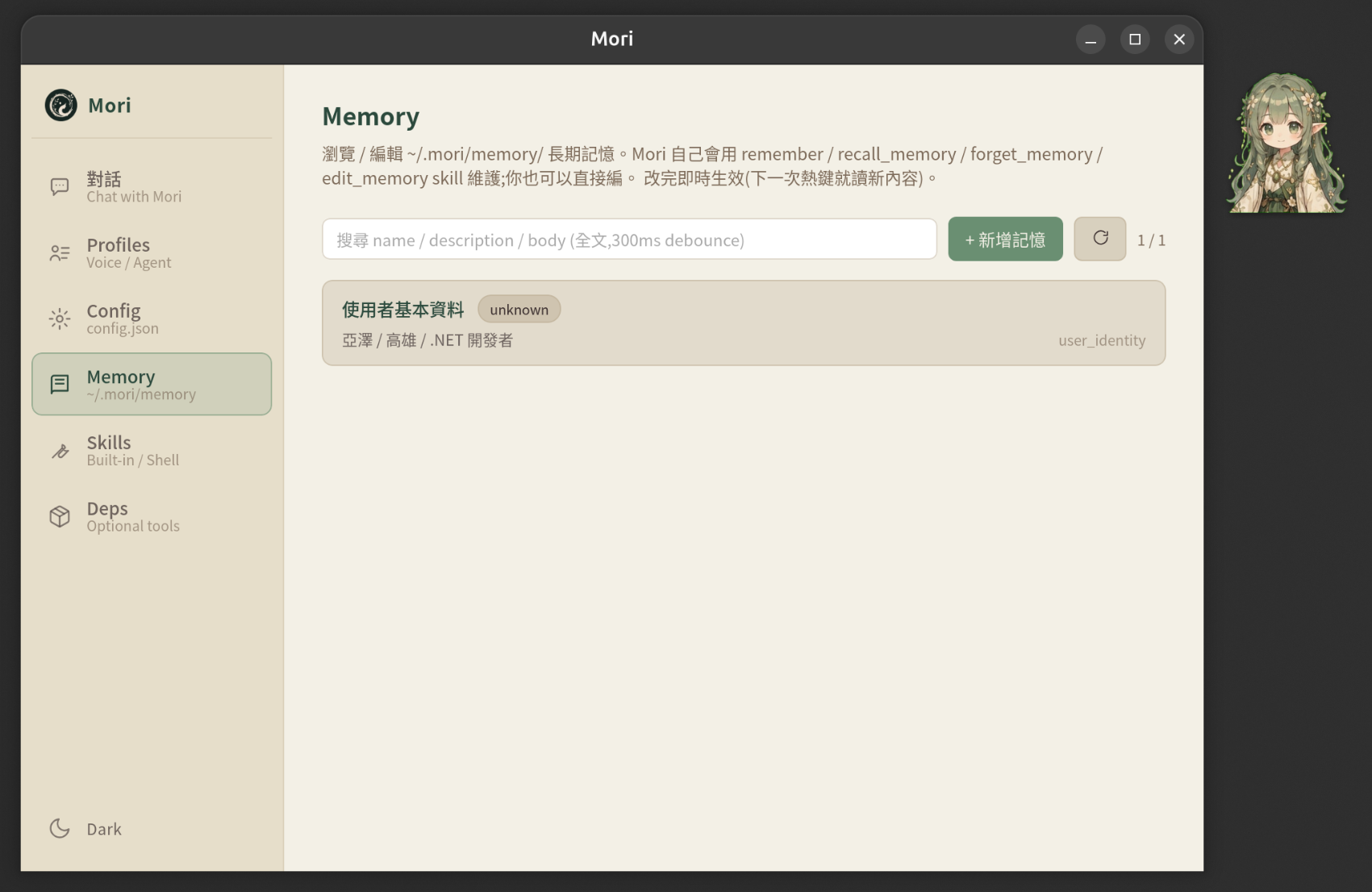
Memory tab
Memory tab — Mori 自寫 memory 列表 + 全文搜尋 + 編輯
memory/
lazy
Mori 自己決定該記什麼,透過 RememberSkill 寫入 <name>.md。 跟 Claude Code auto-memory 同款結構(每筆獨立 .md + frontmatter type / description)。 Memory tab 可瀏覽 / 編輯 / 全文搜尋。第一次 remember 時 create_dir_all
memory/MEMORY.md
lazy
記憶索引(Mori 自己維護的 entry list),Recall 時優先讀這份。第一次寫入時建立。

Skills(讀取 active profile)

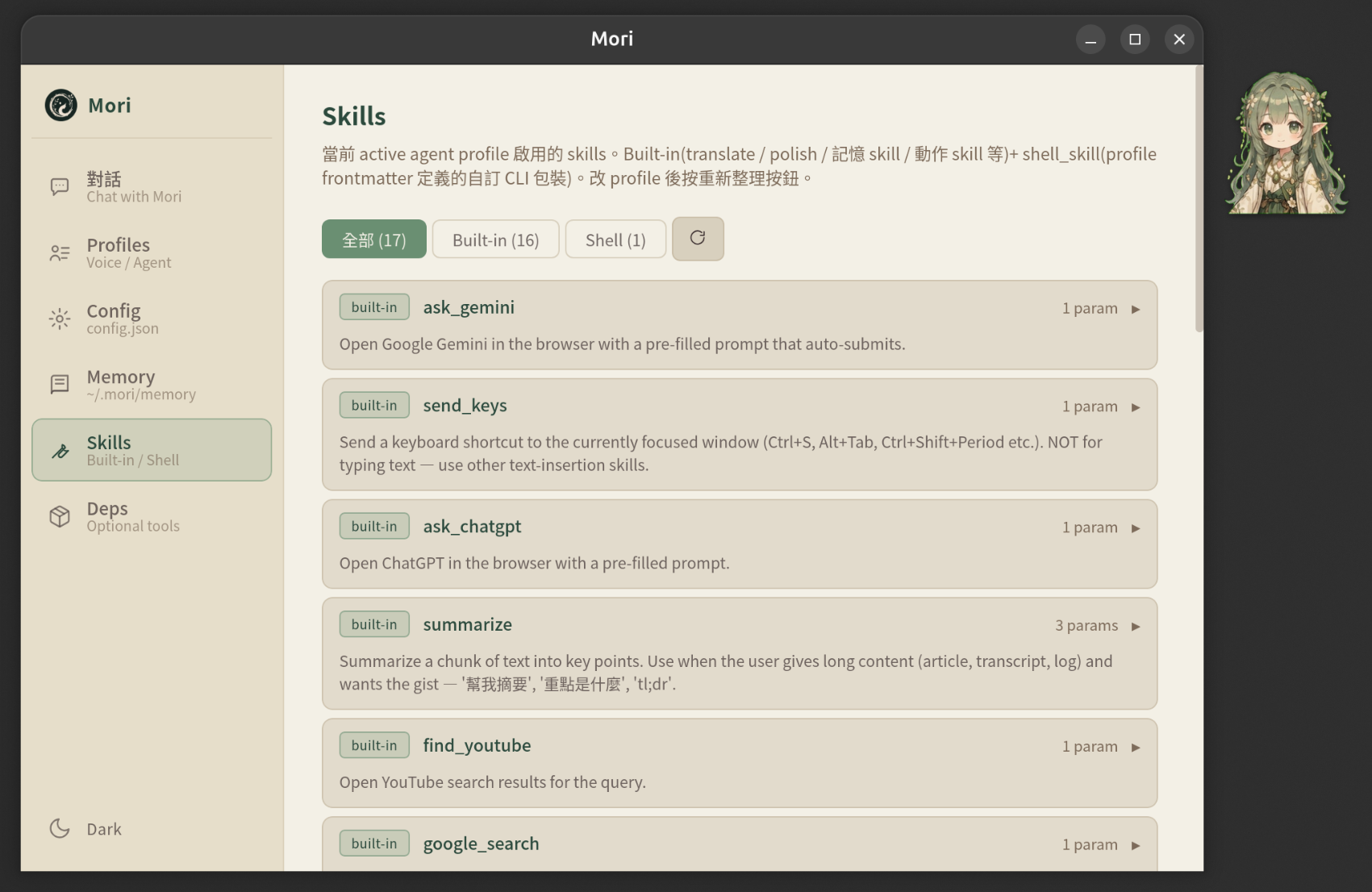
Skills tab
Skills tab — 列當前 profile 啟用的 built-in + shell skill,展開看 schema

選用

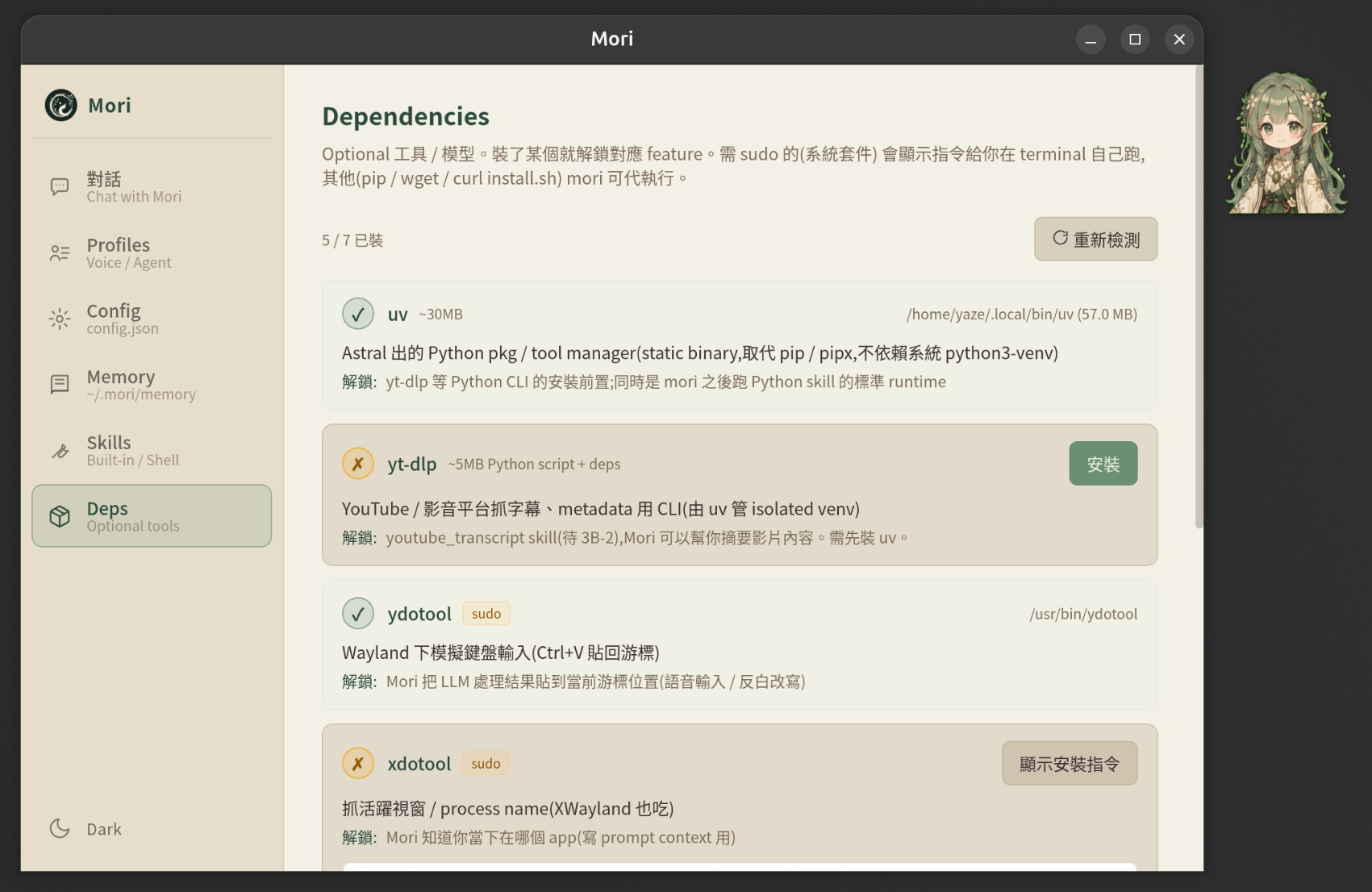
Deps tab
Deps tab — yt-dlp / ydotool / xdotool / whisper-local / ollama 偵測 + 一鍵安裝
models/ggml-small.bin
user
whisper-local STT 用的 GGML 模型(466MB 中文小模型)。 Deps tab 一鍵下載,或 wgetHuggingFace 抓。stt_provider: whisper-local 才需要。
runtime.json
auto
Mori CLI(mori-cli)跟主程式溝通用的本機 HTTP port + auth token。 啟動時自動寫,每次 dev restart 換新 port / token。 給 Bash CLI proxy(claude-bash / gemini-bash / codex-bash)的 mori CLI 用。

改檔 vs UI

所有 ~/.mori/ 內檔案都是 plain text user 可手改,但**主視窗 UI 多數情境更方便**:

改檔即時生效 — 下一次熱鍵 / Mori 回應會讀新內容,不需要重啟。Theme 切換用 emit 廣播,所有視窗即時跟著切。